
Notes on the sound
How to Make Phonk: Your First Beat, Bass and Cowbell
Build a practice loop in a music editor: 16 drum steps, a short bass part and your own melody. A pattern, a step-by-step process and checks to help you learn without copying someone else’s track.
Notes & contents
Listening notes
- Start by making the four layers distinct. Then add density.
- Cowbell, bass and drums have different roles.
- The practice pattern is a starting point, not a required phonk recipe.
Want to make your first phonk track, but your editor greets you with a hundred instruments? Start with a small loop. Drums establish the pattern, bass adds low notes, and a short melody ties the repetitions together. At this stage, hearing how the layers interact matters more than piling on effects.
Below is a practice example for an editor with a step sequencer or piano roll. You can recreate it with your own sounds. It is neither a transcription of a famous hit nor a universal formula for the genre: once you have a working version, change the pattern, tone and accents.
Prepare four sounds and one grid
Choose a kick drum, a snare or clap, a closed hi-hat and a short melodic sound. You could try a synthesized cowbell for the melody. The Roland TR-808 specifications list cowbell and bass drum as separate instruments: the ringing hit and the low drum hit should not be confused. [1] [3]
Set the time signature to 4/4 and divide one bar into 16 equal steps, with four steps per beat. Start the exercise at 120 BPM: one bar then lasts two seconds. This is a convenient setting for the example, not the “correct BPM for phonk.” If you want to explore half-time and double-time counting, we also have a separate BPM tap counter. [2]
Use sounds whose terms you understand: your own synthesis or a library with suitable permission. Finding a sample online does not mean you can release it. You do not need someone else’s vocal recording for this exercise. [6]
Build the drums on 16 steps
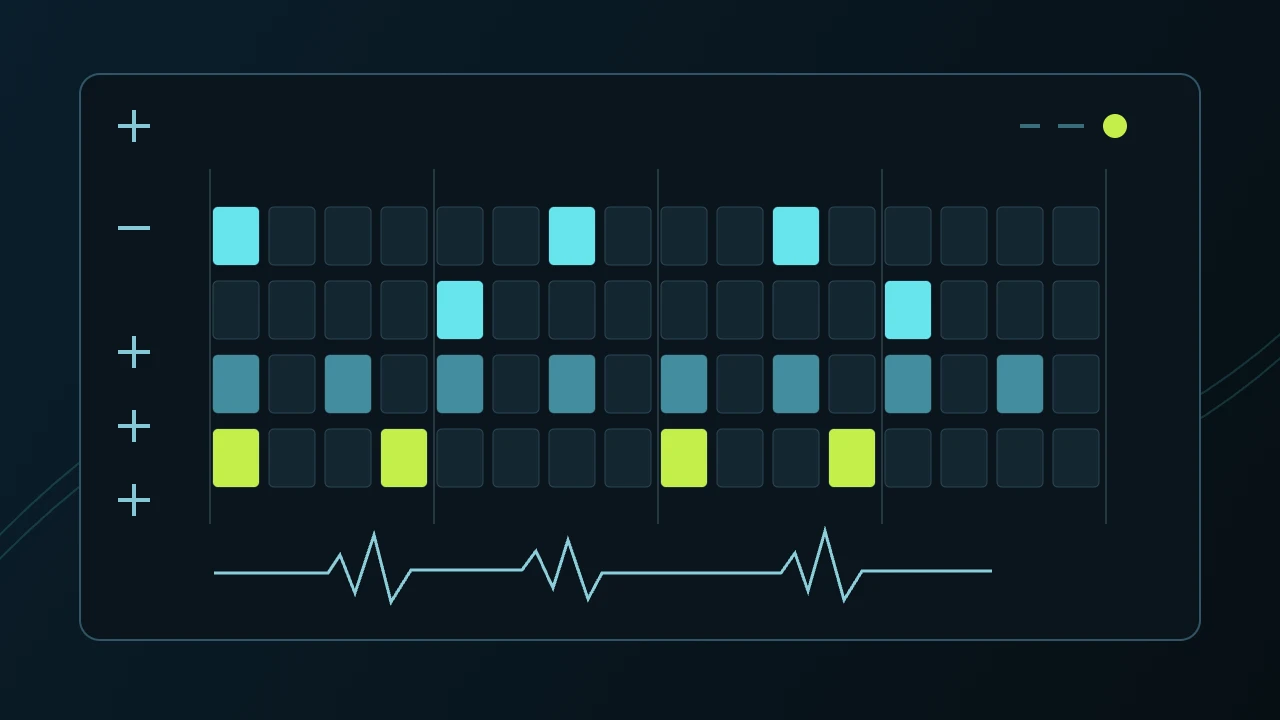
Count the steps from 1 to 16. Place the kick on 1, 7 and 11, the snare on 5 and 13, and the closed hi-hat on 1, 3, 5, 7, 9, 11, 13 and 15. Steps 1, 5, 9 and 13 mark the starts of the four beats. This gives you a specific pattern you can check and then change. [3]
Listen to several repetitions. Start with just the kick and snare, then bring the hi-hat back in. Make some hi-hat hits quieter using velocity or the level of an individual step. If adding a sound makes the main pulse harder to hear, temporarily remove that sound and compare again.
Not every phonk track uses this snare or kick pattern. Our grid is a short exercise in separating the roles of the drums. Try syncopation and other accent patterns once your first version repeats without accidental gaps.
Build the pattern in your editor.
One 4/4 bar, divided into sixteenth notes. Vertical lines mark the start of each beat; a dot means an empty step, a circle a drum hit and a letter a note.
| Layer | 1 | 2 | 3 | 4 | 5 | 6 | 7 | 8 | 9 | 10 | 11 | 12 | 13 | 14 | 15 | 16 |
|---|---|---|---|---|---|---|---|---|---|---|---|---|---|---|---|---|
| Kick | ● | · | · | · | · | · | ● | · | · | · | ● | · | · | · | · | · |
| Snare | · | · | · | · | ● | · | · | · | · | · | · | · | ● | · | · | · |
| Hi-hat | ● | · | ● | · | ● | · | ● | · | ● | · | ● | · | ● | · | ● | · |
| Melody | A | · | · | C | · | · | · | · | D | · | · | C | · | · | · | · |
Add a short cowbell melody
In the melody row, place A, C, D and C on steps 1, 4, 9 and 12. Choose a comfortable register and short note lengths. These notes belong to A minor, which has no sharps or flats in its key signature; here they are simple material for an exercise, not a rule of the genre. [4]
If you use a sample, find its original pitch and tune the instrument before entering notes. A note name in the piano roll does not itself guarantee that the source sound is tuned correctly. With a synthesizer, check the oscillator tuning and envelope.
Copy the bar and remove the last note in the second repetition. Compare the two versions. Sometimes a rest makes the melody’s return stand out more than another effect. Cowbell is one possible tone; you can play the melodic pattern on another instrument too.
Separate the bass from the kick
Add a separate bass instrument. To begin, try two low A notes on the first and third beats: steps 1 and 9. Shorten the notes so they do not overlap unintentionally. The bass does not have to double every kick hit.
Compare three states at a consistent volume: kick alone, bass alone, then both together. If the low end becomes less clear, first check note lengths, bass pitch and levels. Do not try to compensate for everything by boosting low frequencies.
Sidechain compression can briefly reduce the bass when the kick hits, but it is a tool for a specific problem, not a mandatory “make phonk” button. First identify where and why the two layers get in each other’s way. [5]
Turn the loop into a short arrangement
Make eight bars: keep the melody and a quiet hi-hat in the first two, add the full drum pattern and bass for the next four, then remove one layer or change the melody’s ending in the last two. At a constant 120 BPM in 4/4, eight bars last 16 seconds.
This is a practice arrangement, not a promise of a release-ready track. Listen to the opening, middle and ending separately. Can you hear what has changed? Does a transition belong here? From there, you can develop contrast, repetition and the theme’s return instead of endlessly adding tracks.
Add character with a clear purpose
Saturation and distortion change tone; reverb adds a sense of space. For your first comparison, process one layer at a time and match the perceived loudness of the processed and original versions. Louder does not necessarily suit the music better. [5]
Check the result at a moderate volume and on a second device. A small speaker may not reproduce some low frequencies clearly; that is no reason to keep raising the bass. Return to the melody and rhythm: does the loop retain its character without a powerful subwoofer?
Save the original project and a separate new version before your next experiments. If you plan to publish, check the rights to every sound and recording you use separately. The terms of our collection for video creators apply to specific finished tracks and do not turn them into a sample pack. [6]
What to listen to next
Play RESURGE and follow the changes in density, the pauses and the return of musical phrases. Then go back to your loop and name one change you want to try. You can learn from listening without copying someone else’s melody, vocals or finished recording.
If your task right now is to find a finished soundtrack for a video rather than build a beat, open our collection for creators: it offers full MP3s, download buttons and the terms of use for each collection.
Sources & further reading
- Roland — TR-808: Technical Specificationssupport.roland.com
- Ableton Learning Music — Beat and tempolearningmusic.ableton.com
- Ableton Learning Music — What are these sounds?learningmusic.ableton.com
- Ableton Learning Music — Minor scaleslearningmusic.ableton.com
- Ableton Live 12 — Compressor, Saturator, Reverbableton.com
- YouTube — Common copyright mythssupport.google.com
- NO LIMITS PHONK — BPM and tap temponolimitsphonk.com
- NO LIMITS PHONK — Phonk for videos and terms of usenolimitsphonk.com
Keep listening
Take one detail from the article into your next listen: a bass phrase, a pause, or the way a melody returns.
Explore the music
The listening room2 min read
Listening to Phonk: Rhythm, Bass and Melody
Choose a FULL CONTROL track. Follow its rhythm, bass and melody, mark timestamps and turn your impressions into useful listening notes.
Read the guide
Made for the moment2 min read
Choosing Phonk for Video: Tracks and Permissions
Match the music to your footage, identify the exact recording and check its conditions of use.
Read the guide