
Music & moving images
Editing to Music: Phrases, Cuts and Loop Points
Find a complete musical phrase, place meaningful cuts, and check an excerpt’s beginning, ending and loop before finishing a short video edit.
Listen
Notes & contents
Listening notes
- Choose a phrase with a beginning and an ending.
- Let a cut have a reason beyond the beat.
- Keep the exact source and permission details.
The most useful part of a track for an edit is not always its loudest moment. It is the passage that gives your images something to do. A melody entering, a voice stopping, or a bass line returning can provide a clearer visual turning point than a drop with every layer already active. Start by deciding what changes in your scene: a reveal, a movement, a shift of place, or a change in attitude.
Find a complete musical phrase
Listen to the complete track before choosing a short section. Make three notes: where the character becomes clear, where something changes, and where a phrase feels complete. These might sit close together, or they might belong to different passages. Keep the source timecodes. A section that sounds exciting in isolation may depend on a long setup, while a quieter passage may already contain a beginning, a turn, and an ending that fit the images.
Choose one passage and mark its musical anchors. Use the first clear accent, an important entrance, and the end of the phrase. Timeline markers are made for locating meaningful points; Adobe’s documentation describes their use for reference, synchronization, and edit decisions. Automatic beat detection can be a helpful starting aid, but a row of detected beats does not decide which moment deserves a new image. Make that choice by listening. [1]
Give the images a structure
For a first rough cut, try a simple sequence: establish the scene, reveal the subject, then let the action complete. Suppose your footage shows a parked car under passing light. You could hold the wide shot during the opening phrase, reveal a detail when the lead enters, and return to the wider frame when the bass settles. This is an example of structure, not a template that every car edit needs to follow.
Leave some beats alone. If every kick triggers a cut, the viewer has little chance to read an image before it changes. Instead, choose which musical layer the sequence follows. One passage might move with the snare; another might hold through the drums and change on the melody. Keeping the visual rhythm consistent for a few shots gives a later interruption meaning. The music offers several possible patterns, not just the loudest transient.
Make the boundaries intentional
Check the boundaries of your excerpt. Start early enough for a pickup note or breath to make sense, and listen for tails that continue beyond the last visible action. An abrupt ending may be exactly right, but it should feel intentional. If the edit loops, play the join repeatedly and listen for a missing beat, a chopped syllable, or a bass note that collides with the beginning. A short fade is not a universal fix.
Add sound effects after the music and pictures can stand together. Choose a few details that belong to visible actions, then compare the sequence with and without them. If a transition needs several impacts to feel connected, revisit the cut itself. Check the result through headphones and an ordinary small speaker at a comfortable level. The important information should remain understandable even when the deepest bass is less apparent.
Keep the source and permissions clear
Before posting, confirm permission for the music, including the specific recording, and the footage, including the intended platform and any commercial use. A download link, an artist credit, or a label saying “free” does not establish every permission you may need. YouTube’s guidance recommends checking the actual license and explains that Content ID can still flag music described as free. Do not assume that access to a preview, including one on an artist’s website, grants reuse rights. [2]
Keep a small handoff note with the exact track version, source link, excerpt timecodes, credits, and any written permission. This makes revisions and conversations with the artist easier. Then watch the edit once without checking the timeline. Can you describe why the main cut happens where it does? When the answer is a visible action meeting a musical change, you have a strong reason to keep that moment.
Sketch a 30-second edit
Try this 30-second sketch: 0–2 seconds for a hook, 2–10 for the reveal, 10–23 for the main action, and 23–30 for a final image or loop. Place a cue marker on the musical accent you want each change to meet, then adjust the cuts by ear. These are suggested edit timings, not timestamps from NEW RHYTHM.
Start with a small punch, glow and RGB shift
For a restrained starting recipe, try a bass punch that scales the image from 100% to 102% and back over 4–6 frames. Add a glow layer at roughly 10–15% opacity, then test a 1–2 pixel RGB offset on one accent in a 1080-pixel-wide frame. Treat these as starting points: reset the effects between accents and avoid continuous flashing.
Reframe for 9:16
For a vertical 9:16 version, crop the frame and keyframe its position to follow the subject. Keep the image proportions locked so the car does not stretch; switch to a wider source shot if the crop loses too much. Check the export on a phone, then replay the loop to catch jumps in the car’s position or the headlights.
Sources & further reading
MUSIC FOR YOUR VIDEOS
15 tracks. Your next scene.
Hard phonk, melody and atmosphere. Listen and download free with credit, including use in monetised creator videos.
Explore the free selection ↗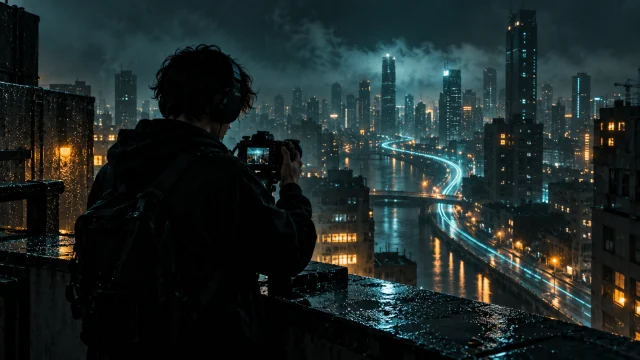
Slowed, reverb and sped up: hear the difference
Keep listening
Take one detail from the article into your next listen: a bass phrase, a pause, or the way a melody returns.
Explore the music
Notes on the sound4 min read
ChatGPT in NO LIMITS PHONK: From an Idea to a Music Project
How ChatGPT helps organize ideas, prepare useful materials and develop a multilingual website—with creative decisions, fact-checking and attention to the listener.
Read the article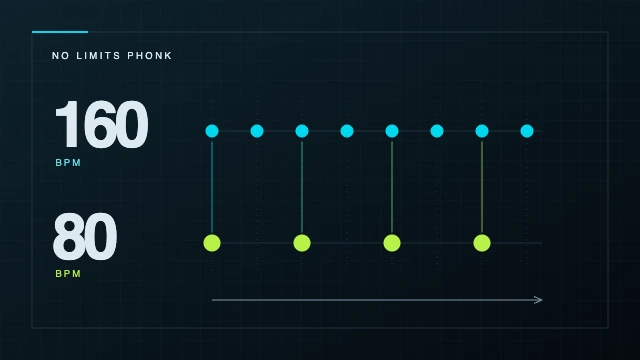
Notes on the sound5 min read
Phonk BPM: find the tempo and understand 80 vs 160
What BPM means, why one passage can be counted at 80 or 160, and how to check tempo by ear. Tap the rhythm and practise with NO LIMITS PHONK tracks.
Read the article